
In 2026’s privacy-conscious digital landscape, understanding your website’s performance has evolved far beyond simple page view counts. The web analytics market has grown from 7.98 $ billion in 2025 to $9.19 billion in 2026, according to market analysis by Mordor Intelligence, driven by demand for cookieless tracking, AI-driven insights, and compliance-ready solutions. Whether you’re running an e-commerce store, a content platform, or a SaaS application, selecting the right analytics tools now requires balancing technical capabilities, privacy requirements, and team expertise. This guide examines 13 platforms across five distinct categories to help you build an analytics stack that delivers actionable insights whilst meeting 2026’s regulatory standards.
What you’ll discover in this guide
- How to choose the right analytics tool for your needs ?
- Google Analytics 4: Advanced features and implementation
- Heatmaps and user behaviour analysis tools
- Real-time analytics and performance monitoring
- SEO and visibility analytics tools
- E-commerce-specific analytics platforms
- Key considerations for implementation in 2026
How to choose the right analytics tool for your needs ?
Before diving into specific platforms, the most critical decision isn’t which tool to choose—it’s understanding which category of analytics addresses your primary business challenge. Many website owners default to installing Google Analytics and assume they’re covered, only to discover months later that they can’t answer crucial questions about user behaviour, technical performance, or search visibility.
The analytics landscape in 2026 has fragmented into specialised categories because no single tool excels at everything. A comprehensive strategy typically combines a foundational platform for overall traffic analysis with one or two specialised tools addressing specific gaps. For instance, a SaaS company might pair Google Analytics 4 for general traffic patterns with Mixpanel for product usage tracking, whilst a content publisher could combine GA4 with heatmap analysis to optimise layouts.
Your selection criteria should prioritise three dimensions: business model alignment, technical implementation capacity, and regulatory compliance requirements. An e-commerce business tracking hundreds of products requires fundamentally different capabilities than a lead-generation site monitoring form completions. In the UK and EU context of 2026, where consent requirements have matured under PECR and UK GDPR, your chosen platform must also support compliant data collection—whether through built-in consent management or seamless integration with your existing consent platform.
Budget considerations extend beyond subscription costs. Whilst tools like Google Analytics 4 offer enterprise-grade features at no direct cost, they demand significant time investment for proper configuration. Beyond the analytics platform itself, operational efficiency impacts your bottom line. For instance, high-performance websites often require streamlined workflows for visual content to prevent technical debt. To maintain peak site speed and to help organize media for your website, use a photo management software. Managing these assets effectively ensures your media loads efficiently, preventing the high bounce rates often flagged in your performance reports.
Which analytics tool category suits your needs?
- If your priority is understanding overall traffic sources and user journeys:
Start with Google Analytics 4 (H2-2) as your foundational platform. It’s free, comprehensive, and integrates seamlessly with other Google services.
- If you need to see exactly how users interact with your pages:
Explore heatmap and behaviour tools (H2-3) like Hotjar or FullStory. These reveal UX issues that traditional analytics miss entirely.
- If you require immediate insights or technical performance monitoring:
Consider real-time analytics platforms (H2-4) such as Clicky for visitor monitoring or New Relic for application performance.
- If improving search rankings and competitive visibility is your goal:
Invest in SEO analytics tools (H2-5) like SEMrush, Ahrefs, or Moz Pro to track keywords, backlinks, and SERP positions.
- If you’re running an online store and need product-level insights:
Opt for e-commerce platforms (H2-6) such as Shopify Analytics, Adobe Analytics, or Metrilo, which track customer lifetime value and retention.
The most effective approach involves layering complementary tools rather than searching for a mythical all-in-one solution. Start with a solid foundational analytics platform, identify the specific questions it can’t answer, then add specialised tools to fill those gaps. If you’re new to the fundamentals, the introduction to web analytics provides essential context on core concepts like sessions, events, and conversion tracking before you evaluate specific platforms.
Google Analytics 4: Advanced features and implementation
Google Analytics 4 has firmly established itself as the dominant free analytics platform for 2026, now implemented on 33.65% of the top one million websites by traffic, with over 14.2 million sites worldwide relying on it as their primary solution. This widespread adoption reflects GA4’s maturation since the forced migration from Universal Analytics, particularly as Google has refined the interface and expanded its machine learning capabilities throughout 2025.
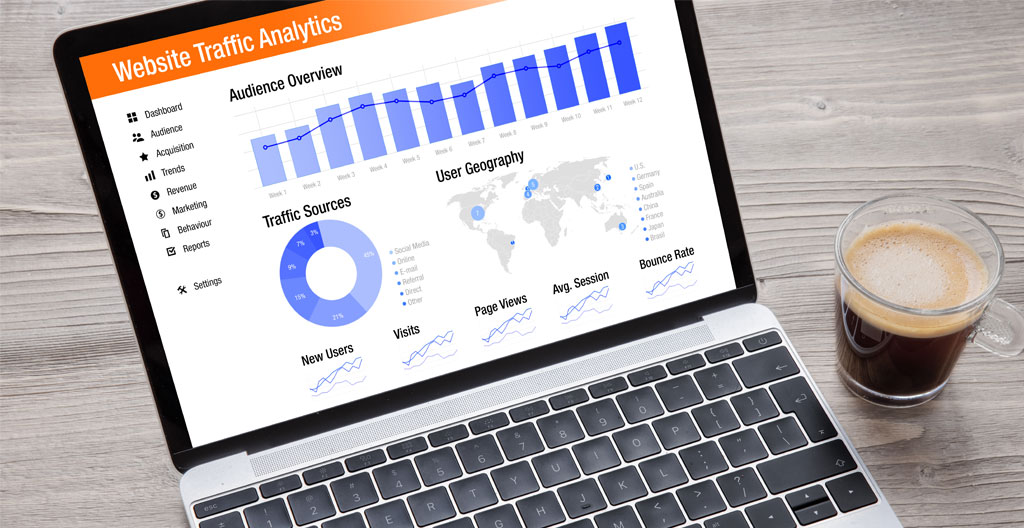
GA4 represents a fundamental architectural shift from its predecessor, offering capabilities that align far better with how users actually navigate websites in 2026’s cross-device, cross-platform reality. According to the latest GA4 adoption figures published by SQ Magazine, the platform’s 2025-2026 product developments introduced cross-channel budgeting in beta, enhanced predictive audiences, consent diagnostics, and refined attribution modelling—all of which address practical pain points that early adopters flagged during the initial rollout.
Event-based tracking in GA4 vs session-based in Universal Analytics
The shift from session-based to event-based tracking represents GA4’s most consequential change, fundamentally altering how data is collected and interpreted. Universal Analytics organised data around sessions—discrete visits with a defined beginning and end—which worked reasonably well for simple websites but struggled with modern user behaviour spanning multiple devices and extended decision-making timeframes.
GA4 treats every user interaction as an individual event, whether that’s a page view, a scroll to 90% depth, a video play, a file download, or a custom interaction you define. This granular approach provides far richer insight into engagement patterns. For example, rather than knowing a user spent three minutes on a product page, you can now see they scrolled through all images, played the demonstration video, and expanded the technical specifications—signals that indicate serious purchase intent even if they didn’t immediately convert.
The practical advantage emerges when analysing non-linear user journeys. A prospective customer might research your product on mobile during a commute, continue on desktop at work, and purchase on a tablet at home days later. GA4’s event model, combined with its identity resolution capabilities, can connect these touchpoints into a coherent narrative that session-based analytics would fragment.
Custom dimensions and metrics for granular data analysis
GA4 significantly expands the flexibility of custom dimensions and metrics, allowing businesses to track parameters uniquely relevant to their context. These custom parameters transform GA4 from a generic traffic counter into a tailored analytics system aligned with your specific business model.
Consider an online education platform: standard GA4 metrics reveal overall traffic and conversion rates, but custom dimensions can track course category, instructor, content format, and student progression stage. Custom metrics might measure video completion rates, quiz scores, or forum engagement. This enables analysis that directly answers strategic questions like ‘Which course topics have the highest completion rates?’
The challenge lies not in technical implementation—which is straightforward through the GA4 interface or Google Tag Manager—but in strategic planning. You’re limited to 50 custom dimensions and 50 custom metrics per property, which sounds generous until you start mapping all the data points your stakeholders want to track. Effective implementation demands ruthless prioritisation.
Cross-platform tracking with Firebase integration
For businesses with both web and mobile app presences, GA4’s native integration with Firebase delivers unified cross-platform analytics that was previously complex and fragmented. Firebase, Google’s mobile and web application development platform, shares the same event-based data model as GA4, enabling seamless tracking of user journeys that span your website and mobile applications.
This integration proves particularly valuable for understanding device-switching behaviour. A user might discover your brand through organic search on mobile, download your app, make an initial purchase on the app, then return to your website for larger transactions on desktop. GA4 with Firebase integration connects these touchpoints under a single user identity, revealing the true customer journey.
The technical implementation requires careful planning around user identification and consent management, but the analytical payoff is substantial. You gain clarity on which acquisition channels drive app installs, how app users differ in lifetime value from web-only customers, and which features drive retention across platforms.
Machine learning-driven insights and predictive metrics
GA4’s machine learning capabilities have evolved considerably through 2025, with predictive audiences now driving 34-42% higher conversion rates for businesses that actively use them in their targeting strategies. These AI-powered features analyse historical behaviour patterns to forecast future actions, identifying users likely to convert, likely to churn, or likely to generate revenue within the next seven days.
The predictive metrics—purchase probability, churn probability, and predicted revenue—operate without requiring manual model configuration. GA4’s algorithms automatically identify the behavioural signals that correlate with these outcomes in your specific dataset, then score all active users accordingly.
Practical applications extend beyond remarketing. A subscription business can proactively engage users showing high churn probability with retention offers before they cancel. An e-commerce site can adjust bidding strategies to favour audiences with high purchase probability. The key limitation is data volume: GA4’s machine learning features require sufficient traffic and conversion events to generate reliable predictions, typically necessitating at least several thousand monthly users and hundreds of conversions.
Heatmaps and user behaviour analysis tools
Whilst quantitative analytics platforms like GA4 excel at answering ‘how many’ and ‘from where’, they struggle to explain ‘why’ users behave as they do. Heatmaps and session recording tools fill this critical gap by providing visual, qualitative insights into actual user interactions—revealing confusion, frustration, and missed opportunities that pure numbers obscure.

The value proposition is straightforward: watch how real users navigate your site, see where they click (including frustrated clicks on non-clickable elements), identify how far they scroll before abandoning, and spot patterns of confusion that precede exit. These insights often contradict assumptions. You might discover that your prominent call-to-action receives minimal interaction whilst users repeatedly click a non-linked image they assume is clickable.
Hotjar: Click, scroll, and movement heatmaps
Hotjar has established itself as the accessible entry point to visual analytics, offering a comprehensive suite of heatmap types, session recordings, and on-site surveys within a relatively affordable pricing structure. Its click heatmaps aggregate thousands of user interactions to reveal which elements attract attention and which are ignored, whilst scroll heatmaps show the precise percentage of visitors reaching each vertical section.
The movement heatmaps track cursor trajectories, operating on the research-backed premise that cursor movement correlates with eye movement and attention. Movement heatmaps identify areas of interest and reveal navigation patterns that inform layout decisions.
Hotjar’s session recordings complement the aggregated heatmap data by allowing you to watch individual user sessions as screen recordings. This qualitative insight proves invaluable for diagnosing specific usability issues: you might spot a user attempting to click a disabled button multiple times, revealing unclear visual feedback.
The platform’s limitation is primarily in scale and advanced functionality. Hotjar works well for sites with moderate traffic and straightforward conversion goals, but businesses with complex applications might outgrow it. Pricing tiers are based on daily session limits, so high-traffic sites can find costs escalating quickly.
Crazy Egg: A/B testing and user session recordings
Crazy Egg differentiates itself by integrating A/B testing capabilities directly alongside its heatmap and recording features, creating a closed-loop optimisation workflow within a single platform. This integration allows you to identify problem areas through heatmaps and recordings, design alternative variations to address those issues, then test which performs better.
The A/B testing functionality, whilst not as sophisticated as dedicated platforms like Optimizely, covers essential use cases: testing different headlines, call-to-action variations, layout changes, or image alternatives. The advantage is convenience and unified reporting.
Crazy Egg’s heatmaps include standard click and scroll varieties, plus a ‘confetti’ view that segments clicks by traffic source, allowing you to see whether users from organic search interact differently than those from paid ads. This segmentation adds analytical depth that basic heatmap tools lack.
The session recordings capture user interactions including form field entries (anonymised for privacy), JavaScript errors encountered, and rage clicks—repeated rapid clicks indicating frustration. These signals help prioritise which usability issues to address first.
FullStory: Digital experience intelligence platform
FullStory positions itself at the enterprise end of behavioural analytics, offering capabilities that extend far beyond traditional heatmaps into what they term ‘Digital Experience Intelligence’. The platform automatically captures every user interaction at a granular level, then applies machine learning to surface patterns, anomalies, and opportunities.
The automatic frustration signal detection represents FullStory’s standout differentiator. The system identifies and quantifies rage clicks, error clicks, and dead clicks. These signals are aggregated and scored, allowing you to identify the specific pages or elements causing the most user frustration and prioritise fixes based on impact.
FullStory’s session replay capabilities include developer-friendly features like console log integration and network request visibility, making it valuable for technical teams diagnosing complex application issues, not just marketers optimising conversion funnels.
The segmentation and analysis capabilities rival dedicated analytics platforms. You can build complex user segments based on behaviour patterns, then analyse how those segments differ in engagement, conversion, or frustration signals. This analytical depth suits businesses with sophisticated optimisation programmes but comes with enterprise pricing.
Real-time analytics and performance monitoring
Real-time analytics serve two distinct but complementary purposes: immediate visibility into current visitor behaviour for marketing teams, and technical performance monitoring for development and operations teams. Whilst tools like Google Analytics 4 offer a real-time report, dedicated real-time platforms provide deeper immediacy, granularity, and alerting capabilities.
Clicky: Real-time web analytics alternative
Clicky offers a streamlined alternative to Google Analytics for users who prioritise real-time visibility and simplicity. The platform’s interface updates continuously, showing current visitors on your site, which pages they’re viewing, where they came from, and what actions they’re taking—all without the delay inherent in GA4’s processing pipeline.
The individual visitor tracking capability provides remarkably detailed intelligence: you can see a specific visitor’s complete session history including entry page, navigation path, referring source, location, and device type. This granular visibility proves particularly valuable for B2B businesses monitoring high-value prospects.
Clicky includes heatmap functionality and uptime monitoring as integrated features rather than requiring separate tools. The uptime monitoring sends alerts if your site becomes unreachable, adding basic infrastructure monitoring to traffic analytics.
Clicky’s limitations emerge at scale and in analytical depth. The platform handles sites up to millions of monthly page views but lacks GA4’s advanced segmentation, funnel analysis, and machine learning capabilities. It’s best suited for users who value real-time visibility and simplicity over comprehensive analytical tools.
New Relic: Application performance monitoring
New Relic operates in a different category entirely—application performance monitoring (APM) rather than user behaviour analytics. Whilst tools like GA4 track what users do, New Relic monitors how well your application performs: response times, error rates, database query performance, and server resource consumption.
For technically complex websites or web applications, performance monitoring becomes critical because slow load times directly impact both user experience and conversion rates. New Relic provides real-time visibility into application performance metrics, alerting teams immediately when response times spike or error rates increase.
The transaction tracing capability allows developers to drill down into specific slow requests to identify the exact database query, API call, or code function causing the bottleneck. This transforms performance optimisation from guesswork into targeted fixes.
New Relic’s browser monitoring tracks real user performance metrics—how long pages actually take to load for real visitors on real networks and devices. This Real User Monitoring (RUM) data reveals the performance experience your users actually encounter.
Mixpanel: Product analytics for user engagement
Mixpanel specialises in product analytics—tracking how users engage with specific features, capabilities, and workflows within your application or website. Whilst Google Analytics tells you about overall traffic patterns, Mixpanel answers questions like ‘What percentage of users who start our onboarding flow complete it?’
The event-based tracking model mirrors GA4’s approach but with stronger product-focused primitives. You define events representing meaningful user actions, then Mixpanel tracks when users perform these events and provides analysis tools specifically designed for product questions.
The funnel analysis capabilities excel at identifying drop-off points in multi-step processes. Mixpanel shows the conversion rate at each step and allows segmentation to see whether drop-off patterns differ by traffic source or device type.
Cohort analysis represents another Mixpanel strength: grouping users based on when they signed up or which actions they performed, then comparing how different cohorts behave over time. You might compare retention rates between users who adopted your mobile app versus web-only users.
Mixpanel excels at product analytics for applications with defined user accounts and trackable feature interactions, but it’s not well-suited for anonymous content sites or simple marketing websites.
SEO and visibility analytics tools
Search engine optimisation analytics tools address a fundamentally different question than on-site analytics platforms: not what happens on your website, but how users find you in the first place and how you compare to competitors for search visibility.
SEMrush: Comprehensive SEO and content marketing suite
SEMrush positions itself as an all-in-one digital marketing platform, encompassing SEO, content marketing, competitor research, and PPC analysis within a single subscription. This breadth makes it popular with agencies and in-house teams managing comprehensive digital strategies.
The Position Tracking tool monitors your website’s rankings for specified keywords across different locations and devices, providing daily updates on ranking changes and visibility trends. This longitudinal data reveals whether your SEO efforts are working.
The Organic Research capability allows competitive analysis: enter a competitor’s domain to see which keywords they rank for, estimate their organic traffic, identify their top-performing content, and spot keyword opportunities they’re capturing that you’re missing.
SEMrush’s content marketing toolkit includes topic research, SEO writing assistant, and content audit features. The topic research tool suggests content ideas based on what’s performing in search results, whilst the writing assistant provides real-time SEO recommendations as you create content.
Ahrefs: Backlink analysis and keyword research
Ahrefs built its reputation on having the most comprehensive and frequently updated backlink index in the industry, making it the go-to tool for link building strategies and competitor backlink analysis. The platform now encompasses keyword research, rank tracking, and content analysis, but backlink intelligence remains its core strength.
The Site Explorer provides exhaustive detail about any website’s backlink profile: total number of backlinks, number of referring domains, authority metrics, and the specific pages linking to you and the anchor text used. This intelligence reveals link building opportunities.
The backlink analysis includes growth tracking over time, allowing you to see whether your link profile is strengthening or weakening, and alerts for new backlinks or lost links. Lost link alerts are particularly valuable for recovery efforts.
Ahrefs’ Keywords Explorer rivals dedicated keyword tools, providing search volume data, keyword difficulty scores, click potential estimates, and extensive related keyword suggestions. The ‘Questions’ feature surfaces question-based keywords related to your topic.
Ahrefs’ interface is notably cleaner and more intuitive than SEMrush’s, with a gentler learning curve for new users. However, it lacks some of SEMrush’s auxiliary features around PPC analysis and social media monitoring.
Moz Pro: Technical SEO auditing and SERP tracking
Moz Pro offers a balanced SEO suite with particular strength in technical site auditing and rank tracking. Whilst Moz’s backlink index is smaller than Ahrefs’, the platform compensates with user-friendly interfaces, strong educational resources, and proprietary metrics like Domain Authority.
The Site Crawl feature provides comprehensive technical SEO audits, identifying issues like duplicate content, broken links, redirect chains, and crawlability problems. The audits categorise issues by severity, helping teams prioritise fixes effectively.
The On-Page Grader analyses individual pages against target keywords, providing specific recommendations to improve optimisation: strengthen title tags, improve content relevance, add internal links. This page-level guidance proves particularly valuable for less experienced SEO practitioners.
Moz’s SERP tracking monitors keyword rankings with the added dimension of tracking SERP features: featured snippets, local packs, knowledge panels, and other special result types. Tracking SERP feature opportunities becomes strategically important.
Moz distinguishes itself through educational resources: the platform includes extensive learning materials, and the company’s blog and guides are industry references for SEO best practices.
The three major SEO platforms address overlapping but distinct priorities. This comparison highlights their core differentiators:
| Feature | SEMrush | Ahrefs | Moz Pro |
|---|---|---|---|
| Core strength | All-in-one SEO and content | Backlink analysis | Technical auditing |
| Keyword research | Extensive database | Strong with click metrics | Good with difficulty scores |
| Backlink index size | Large | Largest | Moderate |
| Best suited for | Agencies and comprehensive SEO | Link building focus | Technical SEO and learning |
| Learning curve | Steeper | Moderate | Gentler |
E-commerce-specific analytics platforms
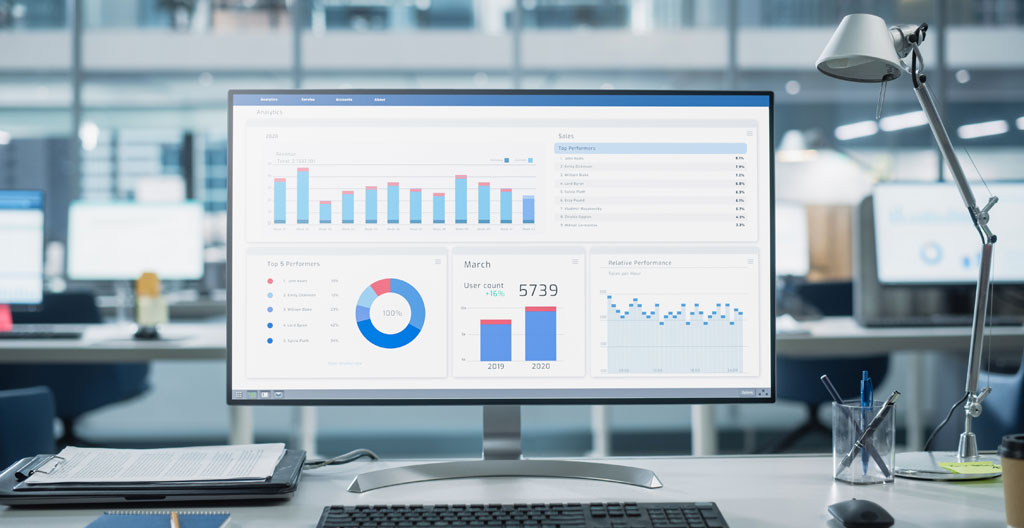
E-commerce analytics demands capabilities that general web analytics tools don’t prioritise: product-level performance tracking, Customer Lifetime Value analysis, cart abandonment monitoring, and cohort-based retention metrics. Whilst you can configure Google Analytics 4 for e-commerce tracking, purpose-built retail analytics platforms provide these insights with less setup complexity.
Shopify Analytics: Built-in reporting for Shopify stores
For the millions of businesses operating on Shopify, the platform’s built-in analytics provide immediate, zero-configuration insights into store performance. Shopify Analytics offers comprehensive reporting on sales, orders, customers, and product performance without requiring separate tool integration.
The dashboard presents key metrics at a glance: total sales, average order value, conversion rate, and returning customer rate. Sales reports break down revenue by product, collection, sales channel, and time period, revealing which products drive your business.
Customer reports track first-time versus returning customer sales, customer retention rates over time, and geographic distribution. The returning customer rate metric proves particularly valuable: whilst acquiring new customers is essential for growth, profitability typically depends on retention.
The limitations become apparent when you need advanced capabilities: sophisticated customer segmentation, detailed attribution across marketing channels, or cohort analysis. Shopify Analytics provides solid foundational reporting, but growing businesses often supplement it with dedicated platforms like Metrilo.
Adobe Analytics for e-commerce: Advanced segmentation and attribution
Adobe Analytics represents the enterprise tier of e-commerce analytics, offering sophisticated capabilities for large retailers with complex customer journeys, multiple sales channels, and substantial marketing budgets requiring detailed attribution analysis.
The advanced segmentation engine allows virtually unlimited customer segments based on behaviour, demographics, purchase history, and engagement patterns. These granular segments enable highly targeted marketing and personalisation.
Attribution modelling stands as Adobe Analytics’ particular strength for e-commerce. The platform supports multiple attribution models—first touch, last touch, linear, time decay, and custom algorithmic models—allowing you to understand which marketing touchpoints genuinely contribute to conversions. For retailers running campaigns across search, social, email, affiliates, and display, attribution clarity prevents misallocating budget.
Adobe Analytics integrates tightly with the broader Adobe Experience Cloud, including personalisation, testing, and campaign management tools. This ecosystem approach delivers maximum value when you adopt multiple Adobe products but creates potential vendor lock-in. Implementation requires dedicated resources, with projects typically measured in weeks or months.
Metrilo: Customer lifetime value and retention analytics
Metrilo focuses specifically on the metrics that determine e-commerce profitability: Customer Lifetime Value, retention rates, repeat purchase behaviour, and cohort performance. This focused scope makes it more approachable than enterprise platforms whilst providing deeper e-commerce insight than general analytics tools.
The customer database provides individual customer profiles showing complete purchase history, total revenue contribution, product preferences, and engagement with marketing campaigns. This granular intelligence enables personalised marketing.
The retention analysis tools compare how different customer cohorts behave over time. You might analyse whether customers acquired during holiday promotions demonstrate different retention patterns than organic customers. These insights inform acquisition strategy by revealing which customer types deliver the best long-term value.
Metrilo includes built-in email marketing capabilities, allowing you to create and send campaigns based on the analytical segments you’ve built—high-value customers, cart abandoners, lapsed buyers—without requiring separate email platform integration.
The platform’s RFM analysis (Recency, Frequency, Monetary value) automatically segments your customer base into categories like Champions, Loyal Customers, At Risk, and Lost, providing a framework for retention marketing.
Key considerations for implementation in 2026
Selecting the right analytics tools represents only half the challenge; proper implementation determines whether you’ll extract genuine value or simply accumulate unused data. The analytics landscape of 2026 introduces specific considerations around privacy compliance, data quality, and organisational capability.
Privacy regulation has matured significantly since GDPR’s introduction, with UK businesses now operating under refined guidance that clarifies ambiguities from the regulation’s early years. According to as set out in the ICO’s finalised 2026 guidance on tracking technologies, consent requirements now explicitly extend beyond cookies to all storage and access technologies including device fingerprinting, web storage, and tag-based scripts. The guidance does provide a statistical purposes exception allowing aggregate analytics without consent, but only when focused solely on service usage patterns rather than individual identification, and only when third-party providers act strictly as processors. These clarifications have driven 99% compliance rates among the UK’s top 1,000 websites for cookie banner standards, whilst PECR penalties now align with UK GDPR’s maximum fines of 17.5 £ million or 4% of global turnover.
The practical implication for analytics implementation is straightforward: your consent management platform must integrate seamlessly with your chosen analytics tools, blocking tracking until users consent and respecting withdrawal of consent. Tools like Google Analytics 4 now include consent mode features that adjust data collection based on consent status, but proper configuration remains your responsibility.
Cookieless tracking has transitioned from emerging trend to procurement requirement. Providers slow to implement differential privacy or cookieless measurement capabilities increasingly fall out of consideration for privacy-conscious organisations. When evaluating tools, explicitly verify their approach to tracking in cookieless environments.
Data quality deserves attention before volume. Many organisations implement analytics tools, collect vast quantities of data, then discover months later that misconfiguration renders much of it unreliable. Establish a measurement plan before implementation: document what you need to track, why it matters, and how you’ll use the data.
Team capability represents a persistent constraint that technical features don’t address. The most sophisticated analytics platform delivers no value if your team can’t interpret the data or lacks authority to act on insights. Honest assessment of technical capability should inform tool selection.
Integration architecture matters increasingly as marketing technology stacks grow. Your analytics tools need to exchange data with your CRM, email platform, advertising accounts, and data warehouse. Before committing to a platform, verify that it integrates with your existing stack. Once you’ve implemented effective analytics, the logical next step involves building a marketing strategy that systematically acts on these insights.
Analytics implementation checklist for 2026
- Audit your current analytics setup and document specific gaps in insight or capability
- Verify privacy compliance requirements under UK GDPR and PECR, including consent management integration
- Create a measurement plan defining key metrics, tracking requirements, and success criteria aligned with business goals
- Assess team technical capability honestly and select tools your team can realistically use effectively
- Test integration compatibility with your existing CMS, CRM, email platform, and advertising accounts
- Confirm cookieless tracking capabilities and first-party data strategy for future-proofing
- Establish a regular reporting cadence and decision-making process to ensure insights drive action
The tools examined in this guide represent proven platforms with established track records, but the analytics landscape continues evolving. The most sustainable approach involves building foundational analytics competency now—developing the skills to interpret data, run valid tests, and translate insights into decisions—so you can adapt as new capabilities emerge.